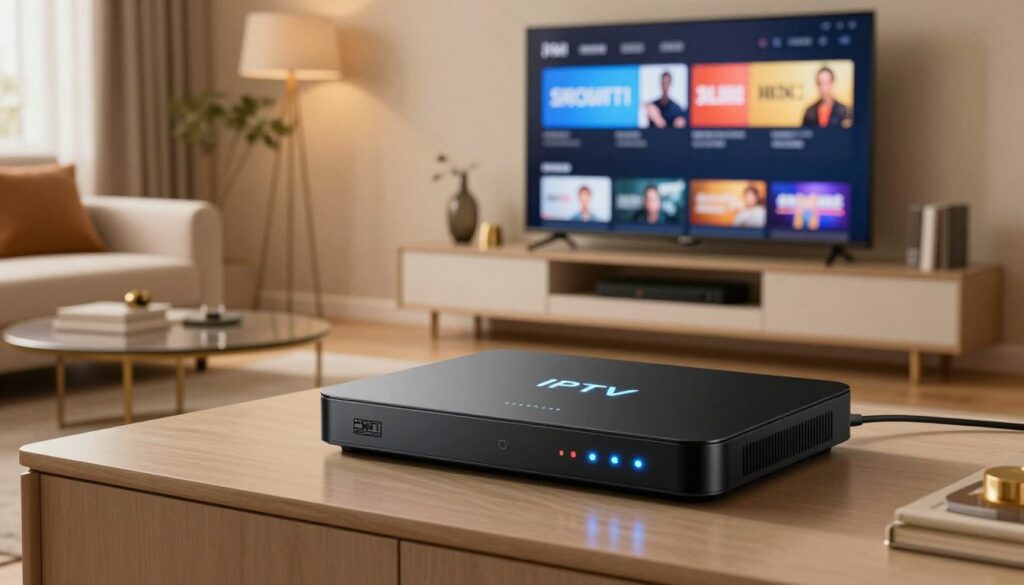
The way we watch television is changing rapidly across the country. Many households are moving away from traditional cable to embrace the flexibility of Canadian streaming services. At the heart of this shift, you will find specialized hardware designed to bring digital content directly to your living room screen.
Understanding how these IPTV Boxes function is essential for anyone looking to upgrade their home entertainment setup. These devices act as a bridge, decoding internet data into high-quality video streams. By learning the basics of this technology, you can ensure a smooth and reliable viewing experience for your entire family.
This guide will walk you through the technical requirements and legal considerations you need to know. Our goal is to help you feel confident and informed as you navigate the modern landscape of digital media in Canada.
Key Takeaways
- Modern hardware transforms how Canadians access digital media content.
- These devices function by decoding internet signals into high-definition video.
- Reliable home internet is a critical requirement for a seamless experience.
- Understanding legal guidelines ensures you enjoy services safely and responsibly.
- Choosing the right equipment simplifies your transition from traditional cable television.
Understanding the Technology Behind IPTV Boxes
If you have ever wondered how your favorite shows travel across the web to your screen, you are in the right place. Modern home entertainment has moved away from rigid broadcast schedules toward flexible, on-demand delivery. This shift relies on sophisticated digital architecture that transforms your television into a powerful media hub.

How Internet Protocol Television Differs from Traditional Cable
Traditional cable television sends signals through coaxial lines in a continuous broadcast loop. Everyone on the network receives the same data at the same time, regardless of whether they are watching. In contrast, Internet Protocol Television (IPTV) delivers content as individual data packets sent directly to your specific device.
This method allows for true interactivity, meaning you can pause, rewind, or select specific programs whenever you like. Because the data is requested on demand, your IPTV box acts more like a computer than a standard receiver. It manages a constant two-way conversation with the service provider’s servers to ensure you get exactly what you want.
| Feature | Traditional Cable | IPTV Technology |
|---|---|---|
| Delivery Method | Coaxial Broadcast | Internet Protocol |
| Content Control | Fixed Schedule | On-Demand Access |
| Data Flow | One-Way Signal | Two-Way Interaction |
The Role of High-Speed Internet in Streaming Quality
Your internet connection serves as the vital backbone for your entire streaming experience. High-speed fiber or cable internet ensures that data packets arrive in the correct order without delay. If your connection speed fluctuates, the device may struggle to keep up with the incoming stream.
A stable, high-bandwidth connection is essential for high-definition playback. When your network is congested, the quality of your video may drop automatically to compensate for the lack of available data. Maintaining a consistent speed is the best way to ensure your media remains crisp and clear.
Data Compression and Buffering Explained
To make streaming possible over the internet, service providers use advanced compression algorithms. These tools shrink large video files into smaller, manageable sizes that travel quickly across the web. Without this compression, your home network would likely be overwhelmed by the sheer volume of data required for 4K video.
Even with efficient compression, you might occasionally encounter buffering issues during peak usage hours. This happens when the device runs out of pre-loaded data and must wait for more to arrive from the server. Understanding these technical basics helps you identify why these buffering issues occur and how to resolve them for a smoother viewing experience.
The Legal Landscape of IPTV Services in Canada
Understanding the legal framework for IPTV in Canada is essential for every modern viewer. As the popularity of Canadian streaming grows, it becomes increasingly important to know how to access content safely and legally.

Distinguishing Between Authorized and Unauthorized Content
The market is filled with various options, but not all are created equal. Authorized services hold the necessary licenses to broadcast content, ensuring that creators and production studios are fairly compensated for their work.
In contrast, unauthorized services often operate without permission. These platforms frequently distribute copyrighted material illegally, which can lead to service interruptions and potential legal risks for the end user.
Understanding Canadian Copyright Laws and Streaming
Canadian copyright laws are designed to protect intellectual property while fostering a fair digital environment. When you use a licensed service, you are participating in a legal ecosystem that respects these regulations.
It is helpful to remember that accessing pirated content can violate these standards. By staying informed about your rights and responsibilities, you can enjoy your favorite media without worrying about legal complications.
Why Using Official Service Providers Matters for Security
Choosing official providers offers more than just legal peace of mind. These companies invest heavily in cybersecurity to protect your personal data and home network from malicious threats.
- Official apps are regularly updated to patch security vulnerabilities.
- Licensed services provide reliable, high-quality streams without hidden malware.
- Your subscription fees directly support the production of new, high-quality content.
| Feature | Official Provider | Unauthorized Service |
|---|---|---|
| Content Licensing | Fully Authorized | Illegal/Pirated |
| Data Security | High Protection | High Risk |
| Service Reliability | Consistent Uptime | Frequent Buffering |
| Legal Compliance | Fully Compliant | Non-Compliant |
Essential Hardware Components for Your Setup
Choosing the right hardware is the most critical step in building a reliable home entertainment system capable of handling modern 4K streaming demands. When you invest in quality streaming devices, you ensure that your media library remains accessible and responsive at all times.

Processing Power and RAM Requirements for 4K Streaming
The processor and RAM act as the brain of your device. They determine how quickly your system can decode high-definition video streams without annoying stuttering or lag.
For a smooth experience, look for devices with at least 2GB to 4GB of RAM.
“Technology is best when it brings people together,” as noted by Matt Mullenweg.
This sentiment rings true when your hardware handles high-bitrate content effortlessly.
Connectivity Options: Ethernet Versus Wi-Fi Performance
Your connection method significantly impacts the stability of your stream. While Wi-Fi offers great convenience, a wired Ethernet connection is often superior for high-bandwidth tasks.
| Connection Type | Stability | Speed |
|---|---|---|
| Ethernet | Excellent | Consistent |
| 5GHz Wi-Fi | Good | Variable |
| 2.4GHz Wi-Fi | Fair | Limited |
If you prefer wireless, ensure your router supports 5GHz bands to minimize interference. Wired connections remain the gold standard for avoiding buffering during peak usage hours in Canadian households.
Storage Capacity for Apps and Cache Management
Adequate storage is necessary for managing application data and system cache effectively. Without enough space, your IPTV hardware may struggle to update apps or store temporary files, leading to performance drops.
We recommend choosing a device with at least 16GB of internal storage. This provides enough room for your favorite media players and ensures the system has space to breathe during heavy operation.
Top Recommended IPTV Boxes for Canadian Users
Canadian viewers have access to several high-quality devices that can transform how they watch television. Selecting the right hardware is essential for a smooth, reliable experience that avoids common technical headaches. These IPTV Boxes are designed to handle modern streaming demands with ease.
Formuler Z11 Pro Max Features and Performance
The Formuler Z11 Pro Max stands out for its specialized software, which provides a highly intuitive interface. It is widely considered one of the best IPTV Boxes for users who prioritize customizability and smooth navigation. The device handles high-bitrate content effortlessly, ensuring that your favourite shows look crisp and clear.
Nvidia Shield TV Pro Capabilities for Advanced Users
If you are a power user, the Nvidia Shield TV Pro is likely your best choice. It features high-end processing power that excels at upscaling lower-resolution content to 4K quality. This device is perfect for those who want a robust, future-proof system that supports advanced gaming and media streaming.
Amazon Fire TV Cube Integration and Ease of Use
The Amazon Fire TV Cube offers seamless smart home integration, making it a great addition to any modern living room. It allows you to control your television and other connected devices using simple voice commands. For casual viewers, these IPTV Boxes provide a familiar and user-friendly experience that is easy to set up right out of the box.
| Device Model | Primary Strength | Best For |
|---|---|---|
| Formuler Z11 Pro Max | Custom Software | Media Enthusiasts |
| Nvidia Shield TV Pro | Processing Power | Power Users |
| Amazon Fire TV Cube | Smart Integration | Casual Viewers |
Step-by-Step Guide to Setting Up Your IPTV Box
You can easily transform your television into a powerful entertainment hub with just a few quick steps. A successful IPTV setup ensures that your device runs smoothly and provides the best possible viewing experience for your household. By following a logical sequence, you avoid common pitfalls and get straight to enjoying your favorite content.
Connecting Hardware to Your Television and Network
The first phase involves physical installation of your IPTV hardware. Start by connecting your device to the television using a high-quality HDMI cable to ensure crystal-clear video output. Once the video link is established, connect the power adapter to a reliable wall outlet.
For the most stable experience, connect your box directly to your router using an Ethernet cable. If a wired connection is not possible, ensure your device is placed within a strong range of your Wi-Fi signal. A solid network foundation is essential for high-definition streaming.
Configuring System Settings and Regional Preferences
After powering on your device, you will be greeted by the initial setup wizard. It is vital to select the correct language and regional preferences to ensure your local time zone and content recommendations are accurate. These settings allow your IPTV Boxes to function in harmony with your specific location in Canada.
Take a moment to verify your network connection within the system menu. If you are using Wi-Fi, select your home network and enter the security credentials carefully. Proper configuration here prevents future connectivity drops and synchronization errors.
Installing Necessary Applications and Media Players
Once the system is online, you can begin installing the software required for your entertainment. Most users rely on specialized media players to manage their channel lists and on-demand libraries. Navigate to the built-in app store to download trusted applications that support your specific service provider.
Always ensure your software is updated to the latest version to maintain security and performance. Organizing your apps on the home screen makes it easier to access your most-watched content quickly. The following table outlines the essential requirements for a smooth installation process.
| Requirement | Action | Benefit |
|---|---|---|
| HDMI Connection | Plug into TV port | High-definition video |
| Network Link | Ethernet or Wi-Fi | Stable streaming |
| System Setup | Set time zone | Accurate EPG data |
| Media Players | Install via store | Better playback control |
Optimizing Your Network for Seamless Streaming
A robust network setup is the secret to unlocking the full potential of your streaming device. When you invest in high-quality hardware, you need a reliable digital foundation to ensure your content plays without interruption.
Testing Your Internet Speed for High-Definition Content
Before you settle in for a movie night, you should verify your currentinternet speed. Most modern services require a consistent connection to handle high-bitrate data streams effectively.
If you are aiming for4K streaming, your connection must be stable enough to prevent sudden drops in resolution. You can use various online tools to check your download speed and latency.
“A stable connection is the invisible backbone of every great home entertainment system.”
| Resolution | Recommended Speed | Stability Priority |
|---|---|---|
| HD (1080p) | 5-10 Mbps | Medium |
| 4K (Ultra HD) | 25+ Mbps | High |
| Live Sports | 30+ Mbps | Very High |
Managing Router Settings to Prioritize Streaming Traffic
Your router often manages dozens of devices at once, which can lead to congestion. By accessing your router’s administrative panel, you can enable Quality of Service (QoS) settings.
This feature allows you to prioritizestreaming trafficover less critical tasks like background downloads or file updates. By giving your IPTV box top priority, you ensure that your video feed remains smooth even when other family members are online.
The Benefits of Using a Wired Ethernet Connection
While Wi-Fi is convenient, it is susceptible to interference from walls, appliances, and other wireless signals. A wired Ethernet connection provides adirect, dedicated pathfor your data.
Using a physical cable eliminates the signal drops that often plague wireless setups. This simple upgrade is the most effective way to guarantee a consistent experience for high-demand content.
If your router is located near your television, plugging in an Ethernet cable is ahighly recommendedstep for any serious viewer. It creates a reliable link that keeps your media library playing perfectly every time.
Managing Your IPTV Interface and User Experience
A well-organized dashboard transforms how you interact with your favorite Canadian content. Mastering your IPTV interface is the most effective way to ensure that your daily viewing remains both efficient and enjoyable. By taking a few moments to configure your settings, you can turn a cluttered menu into a streamlined gateway for your entertainment.
Organizing Channels and Creating Custom Playlists
Most modern streaming devices allow you to hide unwanted channels or group your favorites into specific categories. This personalization helps you avoid scrolling through hundreds of options just to find the news or sports you love. Creating custom playlists is a fantastic way to keep your most-watched programs front and center.
You should explore the settings menu of your specific IPTV setup to see which organizational tools are available. Many users find that grouping channels by genre—such as “Canadian News,” “Sports,” or “Kids”—significantly improves their overall experience. This simple step saves time and reduces frustration during your evening relaxation.
Utilizing Electronic Program Guides for Better Navigation
The Electronic Program Guide (EPG) acts as your digital roadmap for live television. It provides a clear, time-based view of what is currently airing and what is coming up next on your favorite networks. Learning to use the EPG effectively allows you to plan your viewing schedule without missing a single moment of your preferred shows.
“The true power of modern streaming lies in the ability to curate your own media environment, making technology work for you rather than the other way around.”
Most guides offer search functions and filters that help you locate specific content by title or category. If you find your guide is not loading correctly, check your network settings or refresh the data within the app. A properly functioning EPG is essential for a smooth IPTV interface experience.
Updating Firmware and Software for Security Patches
Regular maintenance is vital for the longevity and safety of your streaming hardware. Manufacturers frequently release firmware updates to fix bugs, improve speed, and patch security vulnerabilities. Ignoring these notifications can leave your device exposed to potential threats or performance issues.
You should check for firmware updates at least once a month to ensure your system is running the latest version. Most devices offer an “Auto-Update” feature that handles this process in the background, providing peace of mind. Keeping your software current is a fundamental part of maintaining a secure and reliable home entertainment system.
| Feature | Benefit | Frequency |
|---|---|---|
| Channel Sorting | Faster navigation | As needed |
| Custom Playlists | Personalized access | Weekly |
| EPG Refresh | Accurate schedules | Daily |
| Firmware Updates | System security | Monthly |
Troubleshooting Common IPTV Issues in Canada
Navigating technical glitches is a normal part of the Canadian streaming experience. While modern devices are designed for reliability, you may occasionally face minor performance hiccups. Fortunately, most of these problems are easy to resolve with a few simple adjustments.
Resolving Connection Drops and Buffering Problems
If you notice frequent interruptions, your internet speed is often the primary culprit. A stable connection is vital for high-definition playback, and even minor fluctuations can lead to persistent buffering issues. To stabilize your stream, consider these quick fixes:
- Restart your modem and router to refresh your network connection.
- Switch from a wireless signal to a wired Ethernet cable for better stability.
- Check if other devices in your home are consuming excessive bandwidth.
- Move your router closer to the IPTV box to reduce signal interference.
Fixing Audio and Video Synchronization Errors
Sometimes, the audio may fall out of sync with the video, creating a frustrating viewing experience. This is usually caused by temporary software glitches or high network latency. You can often fix this by simply restarting the application or the device itself.
If the problem persists, check your device’s audio output settings. Ensure that the audio format matches your television’s capabilities. Sometimes, disabling advanced audio processing features in the settings menu can resolve the delay immediately.
Clearing App Cache and Data to Improve Performance
Over time, your IPTV applications accumulate temporary files that can slow down your system. Clearing the cache is a highly effective method for restoring speed and performance to your device. This process removes junk data without deleting your login information or custom playlists.
To clear the cache, navigate to your device’s settings menu and locate the “Apps” section. Select your streaming application and choose the option to “Clear Cache.” If the app continues to perform poorly, you may need to “Clear Data,” though keep in mind this will reset the app to its original state.
Security Best Practices for Streaming Devices
When you bring new technology into your home, prioritizing security is a smart move for every Canadian household. Maintaining robust home network security is vital when connecting any device to your local internet, and modern streaming hardware is no exception to this rule.
Protecting Your Home Network from Unauthorized Access
Your router acts as the front door to your digital life. To keep intruders out, you should always change the default administrator password to something complex and unique. Taking this simple step significantly reduces the risk of unauthorized access to your connected streaming devices.
Furthermore, ensure your router firmware is always up to date. Manufacturers frequently release patches that fix vulnerabilities, which helps keep your entire network safe from emerging threats. Checking for these updates once a month is a great habit for any tech-savvy user.
The Role of VPNs in Privacy and Regional Access
Using a reliable VPN for streaming is an excellent way to enhance your online privacy. By masking your IP address, a VPN prevents your internet service provider from tracking your specific viewing habits. This added layer of encryption keeps your personal data shielded from prying eyes.
Beyond privacy, these tools are incredibly useful for accessing content that might otherwise be restricted by your current region. Whether you are traveling or simply want to explore global libraries, a VPN provides the flexibility you need. Just remember to choose a reputable service to ensure your connection remains fast and stable.
Avoiding Malicious Third-Party Applications
The convenience of installing custom apps can sometimes lead to security risks. Malicious third-party software can compromise your personal data or even damage the integrity of your hardware. Always stick to official app stores whenever possible to ensure the software you download is verified and safe.
If you must install an app from an outside source, perform a quick search to verify its reputation within the community. Staying vigilant about what you install will help you enjoy your entertainment without worrying about hidden malware or data leaks. Your peace of mind is worth the extra few minutes of research.
Conclusion
Mastering your IPTV box setup requires a balance of high-quality hardware, network optimization, and strict adherence to security standards. By selecting reliable devices like the Formuler Z11 Pro Max or the Nvidia Shield TV Pro, you build a foundation for long-term streaming success.
Staying informed about Canadian digital regulations protects your home network from unwanted risks. You now possess the knowledge to manage your media library and troubleshoot common playback issues with confidence. This proactive approach ensures your viewing habits remain private and secure throughout 2026.
Your digital entertainment journey evolves as technology improves. Keep your firmware updated to enjoy the latest features and performance enhancements. Explore the vast world of content available at your fingertips and enjoy a seamless streaming experience tailored to your unique preferences.
FAQ
How does IPTV technology differ from traditional Canadian cable services?
Unlike traditional services that rely on physical coaxial cable lines, Internet Protocol Television delivers your favourite shows and movies directly through your high-speed internet connection. This allows for a more flexible, interactive experience where data is sent in packets, ensuring you can access content on-demand rather than following a rigid broadcast schedule.
Is using an IPTV box legal under Canadian copyright laws?
Yes, using an IPTV box is perfectly legal in Canada as long as you are accessing content through authorized service providers. To stay compliant with Canadian copyright laws, it is important to avoid unauthorized pirate services and stick to official platforms, which also helps protect your home network from security vulnerabilities.
Why is my stream buffering even though I have fast internet?
Buffering can occur due to several factors, including data compression issues or network congestion during peak hours. To resolve this, we recommend optimizing your network by using a wired Ethernet connection instead of Wi-Fi, and adjusting your router settings to prioritize streaming traffic for your devices.
Which hardware provides the best performance for 4K streaming in 2026?
For a premium experience, the Nvidia Shield TV Pro remains a top choice due to its incredible processing power and RAM. The Formuler Z11 Pro Max is also highly recommended for its specialized software, while the Amazon Fire TV Cube offers fantastic smart home integration and ease of use for the average Canadian household.
How do I ensure my streaming device remains secure from hackers?
Security is a priority, so you should always keep your firmware and software updated with the latest security patches. Additionally, using a VPN can enhance your privacy, and you should strictly avoid installing malicious third-party applications that are not found in official app stores.
Can I organize my channel list and see what is playing next?
Absolutely! Most modern boxes allow you to organize channels and create custom playlists. By utilizing the Electronic Program Guide (EPG), you can easily navigate live schedules and find exactly what you want to watch without scrolling through endless menus.
What should I do if my audio and video are not synchronized?
This common issue can usually be fixed by clearing the app cache or restarting your media player. If the problem persists, check for any system settings updates or consider switching from Wi-Fi to a wired Ethernet connection to reduce latency and improve data packet delivery.
Do I need a high-speed internet plan for a good IPTV experience?
Yes, high-speed internet is the backbone of high-quality streaming. For 4K streaming, you generally need a stable connection with sufficient bandwidth to handle large file sizes without interruptions. Performing a regular internet speed test is a great way to ensure your network is up to the task.