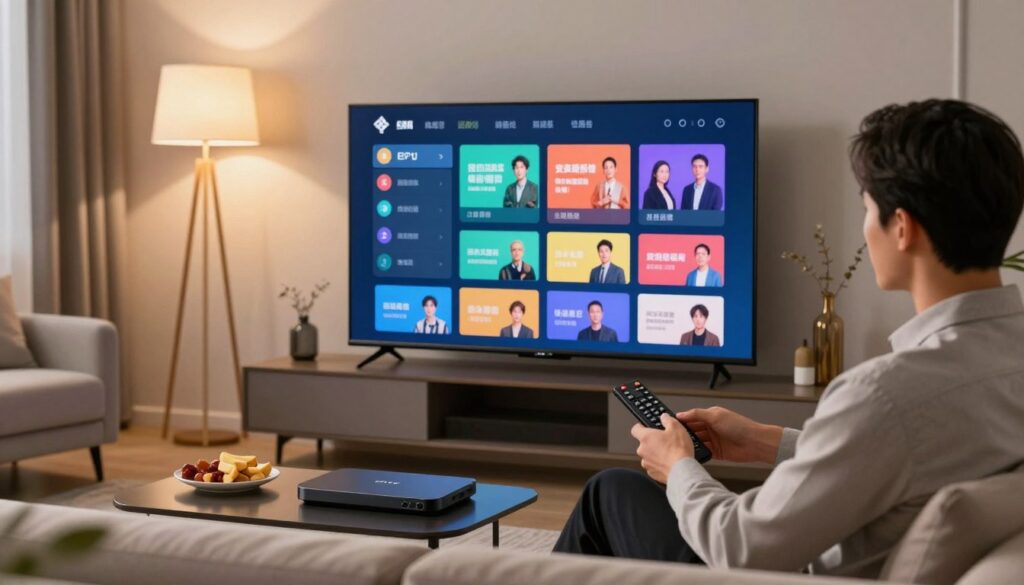
Have you ever felt overwhelmed by the sheer volume of channels available on your digital television? For many Canadian households, navigating thousands of streaming options can feel like a full-time job. This is where the EPG on IPTV becomes your best friend.
Think of this tool as a modern, digital version of the old-school paper television listings. It organizes your favourite shows, movies, and live events into a clean, searchable interface. By providing real-time scheduling data, it helps you find exactly what you want to watch without the endless scrolling.
Understanding how an EPG on IPTV functions is essential for anyone looking to master their home entertainment setup. It acts as the bridge between raw data streams and a user-friendly viewing experience. Whether you are a sports fan or a movie buff, this technology ensures you never miss a moment of your preferred content.
Key Takeaways
- Electronic program guides simplify how you browse through massive digital content libraries.
- These guides provide up-to-date scheduling information directly to your streaming device.
- They help Canadian viewers save time by organizing live broadcasts and on-demand media.
- The interface acts as a central hub for managing your daily television viewing habits.
- Mastering this technology is a cornerstone of a smooth, modern streaming experience.
Understanding the Basics of EPG on IPTV
Navigating the vast landscape of modern television requires a reliable map to find your favourite shows. An EPG on IPTV acts as the essential digital compass for today’s cord-cutters and streaming enthusiasts across Canada.

Defining Electronic Programme Guides
At its core, an Electronic Programme Guide is a software application that provides users with continuously updated menus. It displays scheduling information for current and upcoming broadcast programming.
Think of it as a dynamic, interactive version of the old-school paper TV listings found in newspapers. This digital television guide allows you to browse content, view show descriptions, and plan your viewing schedule with ease.
“The best way to predict the future of television is to look at how we organize the content we consume today.”
— Industry Media Analyst
The Evolution from Traditional Cable to IPTV
The journey of the television guide has been transformative. In the era of traditional cable, viewers relied on static, one-way broadcast signals that offered limited information.
Today, the IPTV guide leverages high-speed internet to deliver real-time data directly to your screen. This shift from legacy broadcast systems to internet-based delivery means that your EPG on IPTV is now more responsive and feature-rich than ever before.
Modern viewers now enjoy a seamless experience that integrates on-demand content alongside live broadcasts. This evolution has turned a simple digital television guide into a powerful tool for managing your entire media library.
By moving away from rigid schedules, the modern IPTV guide empowers you to take full control of your entertainment. It is no longer just about what is on; it is about finding exactly what you want, whenever you want it.
How EPG Technology Functions Behind the Scenes
Behind the sleek interface of your IPTV service lies a complex web of data transmission. While you simply click a button to see what is on, IPTV technology works tirelessly in the background to fetch and organize this information. This process ensures that your viewing experience remains smooth and reliable.

Data Transmission and XMLTV Formats
To keep your TV channel listings accurate, service providers rely on standardized data formats. The most common standard used in the industry is XMLTV, which acts as a universal language for schedule information. By using this format, providers can easily aggregate data from various broadcasters and deliver it to your device.
This transmission happens through automated servers that constantly poll for updates. Consistency is key, as these systems must reconcile time zone differences across Canada to ensure the guide reflects your local reality. Without this standardization, your guide would likely show incorrect times or missing program details.
The Role of Metadata in Channel Listings
Beyond simple start and end times, IPTV metadata serves as the backbone of your digital guide. This data includes essential details like episode titles, cast information, and genre tags. When you search for a specific show, the system relies on this rich metadata to find the right content instantly.
Effective EPG on IPTV systems use this information to power advanced features like content recommendations. By analyzing the metadata associated with your favorite programs, the service can suggest similar content that you might enjoy. Ultimately, this sophisticated layer of data transforms a basic list of channels into a personalized entertainment hub.
Key Benefits of Using an EPG for Canadian Viewers
Canada’s unique geography presents specific challenges for viewers trying to keep track of live broadcasts. Whether you are tuning in from the rugged coast of Newfoundland or the bustling streets of Vancouver, having a reliable IPTV guide is essential. These digital tools provide a clear roadmap for your daily entertainment needs.

Streamlining Content Discovery
Gone are the days of flipping through hundreds of channels to find something worth watching. Streaming content discovery becomes an effortless task when you have a well-organized interface at your fingertips. You can quickly filter by genre, language, or popularity to find your favourite programs in seconds.
By reducing the time spent searching, you gain more time for actual viewing. This efficiency is a hallmark of modern Canadian streaming services that prioritize user experience. You no longer need to rely on external websites to check what is airing next.
Managing Multiple Time Zones Across Canada
One of the most significant hurdles for national broadcasting is the vast span of time zones across the country. An intelligent EPG automatically adjusts schedules to reflect your local time, ensuring you never miss a live event. This feature is particularly helpful for viewers tracking national news or major sporting events.
The following table illustrates how an EPG simplifies the viewing experience compared to traditional methods:
| Feature | Manual Searching | EPG-Assisted Viewing |
|---|---|---|
| Time Accuracy | Requires manual calculation | Automatic local adjustment |
| Discovery Speed | Slow and repetitive | Instant and intuitive |
| Schedule Updates | Often outdated | Real-time synchronization |
| User Effort | High | Minimal |
Ultimately, the integration of these features makes streaming content discovery a seamless part of your daily routine. As Canadian streaming continues to evolve, the IPTV guide remains the most vital tool for maintaining control over your television experience.
Types of EPG Interfaces You Might Encounter
When you open your streaming app, the way information is presented can change how you find your favourite shows. Every IPTV interface is designed with a specific user experience in mind, ranging from complex data displays to simple, clean menus. Understanding these variations helps you navigate your content more effectively.
Grid-Based Layouts
The grid-based layout is perhaps the most recognizable format for anyone transitioning from traditional cable. This digital television guide organizes channels vertically and time slots horizontally, creating a familiar matrix that is easy to scan at a glance.
Many users prefer this style because it provides a comprehensive view of what is airing across multiple networks simultaneously. It is particularly useful for families who want to see a wide range of TV channel listings without clicking through multiple sub-menus.
List-Based and Minimalist Interfaces
For those who prefer a modern aesthetic, list-based and minimalist designs offer a streamlined alternative. These layouts often prioritize current and upcoming programs in a vertical stack, which works exceptionally well on mobile devices or smaller screens.
By removing the clutter of a massive grid, these interfaces allow you to focus on specific genres or your personal favourites. A well-designed IPTV guide using this approach often feels faster and more responsive during daily use.
- Grid Layouts: Best for heavy users who want to see everything at once.
- List Layouts: Ideal for quick browsing and mobile-first experiences.
- Minimalist Designs: Perfect for users who value speed and clean visuals.
Choosing between these styles often comes down to your personal viewing habits. Whether you prefer the traditional digital television guide or a sleek, modern list, the right choice makes managing your TV channel listings a breeze.
| Feature | Grid Layout | List Layout |
|---|---|---|
| Navigation | Multi-directional | Vertical scrolling |
| Density | High information | Low information |
| Best Device | Smart TV | Mobile/Tablet |
The Technical Architecture of IPTV EPG Systems
Exploring the technical architecture of IPTV reveals why some guides feel faster than others. While you simply scroll through your favourite Canadian channels, a complex sequence of events happens in the background. This IPTV technology ensures that your viewing schedule remains accurate and up-to-date at all times.
Server-Side Data Aggregation
The journey of your guide data begins at the server level. Providers collect raw information from various broadcasters and content partners to create a unified stream. This process involves cleaning and normalizing IPTV metadata so that it displays correctly on your specific device.
By centralizing this data, the system can handle thousands of channels simultaneously. It ensures that even if a network changes its schedule at the last minute, the update propagates across the entire network efficiently. This aggregation layer is the backbone of a reliable and consistent user experience.
Client-Side Rendering and Caching
Once the data reaches your device, the local software takes over to display the interface. To keep the guide snappy, modern apps use caching techniques that store frequently accessed information locally. This means your device does not need to download the entire schedule every time you open the menu.
Client-side rendering allows for smooth scrolling and instant transitions between categories. By balancing the load between the server and your hardware, the system maintains high performance even on slower internet connections. This synergy between backend processing and local storage is what makes high-quality IPTV services feel so responsive.
| Process Stage | Primary Function | Benefit to User |
|---|---|---|
| Data Aggregation | Merging multiple sources | Accurate schedules |
| Metadata Normalization | Standardizing formats | Consistent display |
| Local Caching | Storing data on device | Faster navigation |
| Client Rendering | Visual interface generation | Responsive interaction |
Common Challenges with EPG Synchronization
Even the most reliable IPTV services can occasionally run into synchronization issues that disrupt your viewing. While these systems are designed to update automatically, technical glitches can sometimes cause the guide to fall out of sync with live broadcasts. Understanding these hurdles is the first step toward maintaining a seamless entertainment experience.
Addressing Latency and Data Delays
Latency often occurs when the server responsible for aggregating metadata experiences a bottleneck. When this happens, the IPTV synchronization process slows down, leading to outdated schedule information on your device. You might notice that the guide shows a program that ended ten minutes ago or fails to display upcoming shows entirely.
These delays are frequently caused by high traffic on the provider’s network or server-side maintenance. If the data source is not pushing updates in real-time, your local cache will continue to display old information. Patience is often required, as these issues usually resolve themselves once the server catches up with the latest broadcast metadata.
Troubleshooting Missing or Incorrect Channel Data
If you find that your guide is missing specific channels or displaying incorrect program titles, you should perform some basic IPTV troubleshooting. Start by clearing the cache within your IPTV application settings, as this forces the device to fetch a fresh copy of the guide data from the server. This simple action often resolves most display errors instantly.
If the problem persists, verify your internet connection to ensure the device can reach the update server. You may also need to manually refresh the EPG URL in your application settings to ensure you are using the most current link provided by your service. Below is a quick reference guide to help you identify and resolve common issues.
| Issue Type | Primary Cause | Recommended Fix |
|---|---|---|
| Empty Guide | Network Timeout | Check connection and refresh URL |
| Outdated Listings | Server Latency | Clear cache and wait for update |
| Wrong Time Zone | Device Settings | Adjust local time settings |
| Missing Channels | Playlist Mismatch | Reload M3U or portal link |
Customizing Your EPG Experience
You can transform your television experience by tailoring your guide to match your personal preferences. Modern interfaces offer robust tools that allow you to move beyond the default settings and embrace true IPTV personalization. By taking a few moments to adjust your preferences, you ensure that your screen displays only the content you actually enjoy.
Filtering Channels by Genre and Language
Navigating through hundreds of options can feel overwhelming without the right tools. Most platforms allow you to refine your TV channel listings by applying specific filters based on your interests. Whether you are looking for sports, news, or international cinema, you can hide irrelevant content with just a few clicks.
Language filters are particularly useful for Canadian households that value multilingual programming. You can easily isolate French, English, or third-language channels to create a streamlined viewing environment. This level of control makes finding your favourite shows faster and much more enjoyable.
“The greatest technology is that which disappears into the background, allowing the user to focus entirely on the experience itself.”
— Anonymous
Setting Reminders and Recording Schedules
Staying organized is essential when you have a busy schedule. You can set automated reminders for upcoming broadcasts so you never miss a live event or a season premiere. This feature ensures that your IPTV synchronization remains perfectly aligned with your daily routine.
For those who prefer to watch on their own time, recording schedules provide the ultimate flexibility. You can program your system to capture entire series or specific episodes automatically. The following table highlights how these features help you manage your media library effectively:
| Feature | Primary Benefit | User Impact |
|---|---|---|
| Genre Filtering | Content Relevance | Reduces clutter |
| Reminders | Time Management | Prevents missed shows |
| Cloud Recording | Viewing Flexibility | On-demand access |
By leveraging these advanced settings, you elevate your IPTV personalization to a professional level. Taking charge of your guide is the best way to ensure your home entertainment system works for you, rather than the other way around.
Compatibility Across Different IPTV Devices
Achieving a seamless IPTV setup in Canada requires understanding how different screens handle your data. While the core information remains the same, the way you interact with your guide changes significantly depending on your hardware. Choosing the right device ensures that your viewing experience remains smooth and intuitive.
Smart TVs and Android TV Boxes
Most Canadian households rely on Smart TVs or dedicated Android TV boxes for their primary entertainment. These devices offer a large-screen IPTV interface that is designed for comfort and ease of use. You can navigate through channels using a standard remote, which makes browsing the guide feel very similar to traditional cable television.
Android TV boxes often provide more flexibility for customization compared to built-in Smart TV apps. If you encounter issues with your guide loading, basic IPTV troubleshooting usually involves clearing the cache within the app settings. This simple step often restores missing metadata and ensures your channel listings are up to date.
Mobile Devices and Web-Based Players
Streaming on the go has become a standard expectation for modern viewers. Mobile apps and web-based players offer a more compact version of the guide, often utilizing swipe gestures or simplified menus to save screen space. While these interfaces are highly portable, they may lack the advanced filtering options found on larger television displays.
Web-based players are particularly useful when you want to watch content without installing extra software. However, they rely heavily on your browser’s performance and internet stability. Keeping your browser updated is essential to maintain a responsive guide experience while traveling across different provinces.
| Device Type | Interface Style | Best For |
|---|---|---|
| Smart TV | Grid-based | Living room viewing |
| Android Box | Customizable | Advanced users |
| Mobile App | Minimalist | On-the-go access |
| Web Player | Browser-based | Quick streaming |
Legal and Ethical Considerations for IPTV Services in Canada
Navigating the world of digital television in Canada requires a clear understanding of the rules that keep your viewing experience safe and legal. As you explore the latest options for Canadian streaming, it is important to remember that not all services operate with the proper authorization. Staying informed helps you protect your personal data while ensuring you support the creators who produce your favourite shows.
Understanding Copyright and Content Licensing
At the heart of any reputable television service lies the concept of copyright and content licensing. Broadcasters and streaming platforms must secure legal rights to distribute content to viewers in specific regions. When a service lacks these agreements, they are essentially distributing content without permission, which undermines the entire industry.
By choosing IPTV legal services, you ensure that your subscription fees contribute to the production of high-quality media. This ethical approach helps maintain a healthy ecosystem where artists, writers, and producers are fairly compensated for their hard work. It is a simple way to act as a responsible consumer in the digital age.
Choosing Legitimate IPTV Providers
When you begin your IPTV setup Canada journey, you might encounter services that offer thousands of channels for an incredibly low price. It is often wise to be cautious of these deals, as they frequently lack the necessary licensing to operate legally. Legitimate providers will always have a professional website, clear terms of service, and transparent contact information.
To verify a provider, look for official partnerships with major networks or established telecommunications companies. A reliable IPTV setup Canada provider will also offer consistent customer support and stable server performance. If a service seems too good to be true, it is usually a sign that you should look for a more established and authorized alternative.
Ultimately, prioritizing IPTV legal services provides you with peace of mind and a more reliable viewing experience. You avoid the risk of sudden service interruptions and potential security threats associated with unauthorized platforms. Enjoying your content through official channels is the best way to support the future of television in Canada.
Future Trends in IPTV Guide Technology
We are standing on the brink of a new era where television guides become truly intelligent companions. As IPTV technology continues to evolve, the way we interact with our screens is becoming more fluid and responsive to our individual needs. These IPTV future trends are designed to remove the friction from finding something great to watch.
AI-Driven Personalization and Recommendations
The next generation of television guides will move far beyond simple static lists. By leveraging advanced algorithms, IPTV personalization will allow your guide to learn your unique viewing habits over time. This means your interface will prioritize the genres, actors, and series you love most.
This shift significantly improves streaming content discovery by surfacing hidden gems you might have otherwise missed. Instead of scrolling through hundreds of channels, you will receive curated suggestions tailored specifically to your mood. It is all about making your entertainment time more efficient and enjoyable.
Integration with Voice Assistants and Smart Home Ecosystems
Navigating your television is becoming a hands-free experience thanks to deeper integration with modern smart home devices. You will soon be able to ask your voice assistant to find a specific show or record a live event without ever touching a remote. This level of IPTV technology integration creates a seamless bridge between your living room and your digital life.
Beyond simple commands, future IPTV future trends suggest that your television could eventually communicate with your smart lights or thermostat. Imagine dimming the lights and launching your favorite sports channel with a single voice prompt. This IPTV personalization ensures that your home environment is always perfectly set for your next viewing session, further enhancing the ease of streaming content discovery for every member of the family.
Conclusion
Electronic Programme Guides serve as the backbone of your daily viewing habits. These tools transform complex data streams into simple, organized schedules that make finding your favourite Canadian shows effortless.
Understanding the technical side of these guides empowers you to troubleshoot issues quickly. You gain full control over your media library by managing time zones and setting recording preferences on devices like Apple TV or Roku.
Keeping an eye on IPTV future trends ensures you stay ahead of the curve. Innovations in artificial intelligence will soon change how you discover content by predicting your preferences before you even search.
Legitimate service providers continue to prioritize high-quality metadata to improve your interface. You protect your digital security by choosing licensed platforms that respect copyright laws across Canada.
Embrace these advancements to enjoy a seamless television experience. Your commitment to staying informed about IPTV future trends guarantees that your home entertainment setup remains modern, reliable, and perfectly tailored to your lifestyle.
FAQ
What exactly is an EPG and why is it essential for my IPTV service?
An Electronic Programme Guide (EPG) is essentially a digital menu for your television content. Much like the old paper TV guides or the scrolling channels on legacy cable systems from Rogers or Bell, the EPG provides a scheduled list of current and upcoming programmes. For Canadian viewers, it is the primary tool for streamlining content discovery, allowing you to see what is playing across hundreds of channels without having to flip through them manually.
How does the EPG handle the different time zones across Canada?
Managing schedules from Newfoundland Standard Time all the way to Pacific Standard Time can be tricky. Modern EPG systems use metadata and time-shifting technology to automatically adjust the displayed programme times based on your local IP address or device settings. This ensures that when a show airs at 7:00 PM in Toronto, your guide accurately reflects the correct local broadcast time in Vancouver or Halifax.
What is an XMLTV format and why does it matter for my setup?
A: XMLTV is the standard file format used to distribute television listings over the internet. When you input an EPG URL into an app like TiviMate or OTT Navigator, the software reads this XML data to populate the grid. This data transmission method is vital because it carries all the metadata—such as episode descriptions, cast lists, and original air dates—that makes your guide informative and searchable.
Why are some of my channel listings showing “No Information Available”?
This is usually a sign of a synchronization issue or latency in server-side data aggregation. If your M3U playlist doesn’t match the IDs in the XMLTV file, the guide won’t know which programme belongs to which channel. You can often fix this by clearing the cache on your Nvidia Shield or Amazon Fire TV Stick and force-refreshing the guide source in your app settings.
Can I record live shows directly from the EPG interface?
Yes, most premium IPTV players and Android TV boxes support PVR (Personal Video Recorder) functionality. By interacting with the EPG, you can select a future programme and set a recording schedule. Some services also offer Catch-up TV, which allows you to scroll back through the EPG to watch shows that have already aired, provided the IPTV provider supports cloud-based rendering of past content.
Are the EPG layouts the same on all devices like Smart TVs and smartphones?
While the data remains the same, the client-side rendering changes based on your hardware. On a large Sony Smart TV, you will likely see a grid-based layout that provides a wide overview of many channels. On mobile devices like a Google Pixel or iPhone, the interface often switches to a minimalist list-based design to make navigation easier on a smaller touchscreen.
Is using an EPG and IPTV service legal in Canada?
The technology itself is entirely legal; however, the legality depends on the content licensing of your provider. To stay compliant with the Canadian Copyright Act and CRTC regulations, it is important to choose legitimate IPTV providers that have the rights to distribute the channels they offer. Using verified services ensures you are supporting the creators and avoiding potential service interruptions.
How will AI and voice assistants change how I use my TV guide in the future?
We are moving toward a more AI-driven personalization model. Instead of scrolling through a grid, you will be able to ask Amazon Alexa or Google Assistant to “find hockey games playing tonight,” and the EPG will instantly filter the results. Future smart home ecosystems will integrate these guides to offer intuitive recommendations based on your specific viewing habits in Canada.