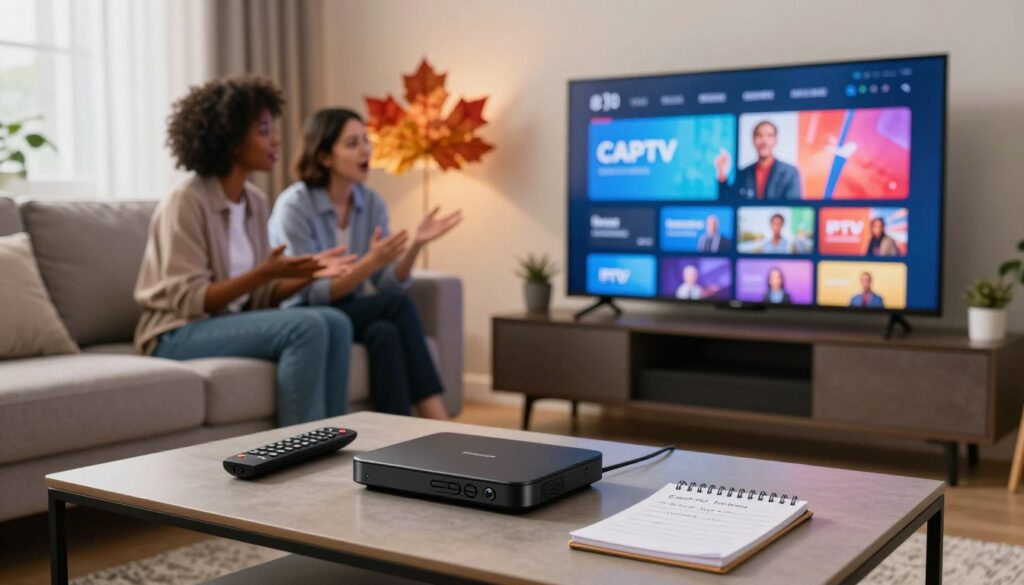
Streaming services have transformed how households across the country consume media. Many Canadians are moving away from traditional cable to embrace the flexibility of modern digital television solutions. As this shift grows, viewers often ask if they can Record on IPTV to save their favourite shows for later.

Understanding the technical possibilities is essential for any cord-cutter. Whether you are looking to archive live sports or catch up on late-night broadcasts, having the right tools makes a significant difference. This comprehensive IPTV guide is designed to help you navigate the landscape of digital storage options available today.
We will explore the legal and technical aspects of IPTV recording Canada users should consider. By the end of this article, you will have a clear picture of how to manage your media library effectively while staying within the bounds of service agreements.
Key Takeaways
- Many Canadian households are switching to digital streaming for better viewing flexibility.
- Saving live content is a top priority for modern viewers who have cut the cord.
- Technical limitations often depend on your specific service provider and hardware setup.
- Always review your local service terms to ensure compliance with copyright regulations.
- Proper configuration of your streaming device is vital for a smooth playback experience.
Understanding the Basics of IPTV Recording
Modern television has shifted from physical cables to internet-based delivery, which fundamentally changes how we capture content. Many users are curious if they can record on IPTV with the same ease they experienced with legacy systems. By moving away from traditional broadcast methods, the way we interact with our media has become more flexible and digital.
IPTV streaming relies on internet protocols to deliver video data directly to your device. Unlike older methods that broadcast signals to everyone at once, this technology sends data packets specifically to your connection. This shift is the primary reason why recording methods have evolved so significantly in recent years.

How IPTV Differs from Traditional Cable
Traditional cable and satellite television depend on coaxial cables or dish signals to transmit content. These signals are broadcast continuously, and your receiver simply tunes into a specific frequency to display the channel. Because the signal is constant, recording it usually required a physical hard drive connected directly to your set-top box.
In contrast, IPTV streaming functions more like downloading a file or browsing a website. Your device requests specific data packets from a server, which are then reassembled into a video stream on your screen. This on-demand nature means that the data is not just “there” in the air; it is being actively delivered to your unique IP address.
The Technical Feasibility of Recording Streams
Because the content arrives as digital data, it is technically possible to capture and save these streams for later viewing. An IPTV PVR acts as a digital bridge that intercepts these incoming data packets before they are rendered as video. By saving these packets to a storage medium, you can effectively create a local copy of the broadcast.
Using an IPTV PVR allows you to manage your media library with much greater control than older analog recorders. While the process involves complex digital handshakes, modern software has made it accessible for the average user. You can now record on IPTV content with just a few clicks, provided you have the right hardware and software configuration in place.
Legal Considerations for IPTV Recording in Canada
Staying on the right side of the law while enjoying your favorite shows is a top priority for many Canadian viewers. When you explore IPTV recording Canada, it is essential to understand how local regulations apply to your digital habits. Being informed helps you enjoy your media library with complete peace of mind.

Copyright Laws and Personal Use
In Canada, the Copyright Act provides a framework that balances the rights of creators with the needs of consumers. Generally, recording content for private, non-commercial use is viewed differently than redistributing that same content. This concept is often linked to the idea of time-shifting, which allows you to watch programs at a time that suits your schedule.
However, it is vital to remember that these protections apply primarily to content obtained through legitimate channels. If you are using an IPTV legal service, you are likely operating within the terms of service provided by your broadcaster. Always check the specific agreement of your provider to ensure your recording activities remain compliant.
Distinguishing Between Authorized and Unauthorized Services
The most important step in maintaining a lawful setup is choosing the right provider. Authorized services, such as those offered by major telecommunications companies or official network apps, hold the necessary licenses to distribute content. These providers pay royalties to creators, ensuring that the ecosystem remains sustainable and fully compliant with Canadian law.
Conversely, unauthorized services often bypass these licensing requirements, which can lead to significant legal and security risks. You can usually identify an unauthorized service by its suspiciously low pricing or the inclusion of premium channels that are typically locked behind expensive packages. Protecting your digital footprint starts with choosing reputable, licensed platforms that respect intellectual property rights.
Hardware Requirements for Recording IPTV
Building a reliable recording setup requires the right combination of hardware components. To handle high-definition data streams effectively, your equipment must be capable of processing and writing data without interruption. Choosing the correct IPTV hardware is the first step toward creating a seamless viewing experience.

Using Dedicated IPTV Set-Top Boxes
Dedicated set-top boxes are often the most stable choice for users who want a plug-and-play experience. These devices are specifically engineered to manage stream decoding and recording tasks simultaneously. Reliability is the primary advantage here, as these units are optimized for the specific demands of live television.
“The right tools make all the difference when you are trying to capture high-quality digital content for later viewing.”
External Storage Solutions for Digital Video Recording
If your device lacks sufficient internal memory, external drives provide a simple way to expand your capacity. High-speed USB 3.0 flash drives or portable solid-state drives (SSDs) are excellent for managing your IPTV storage needs. Always ensure your drive is formatted correctly to match the file system requirements of your specific set-top box.
Using a dedicated drive helps prevent system slowdowns during long recording sessions. It is highly recommended to use a drive with a fast write speed to avoid dropped frames or corrupted video files. This approach keeps your main device running smoothly while your library grows.
Network Attached Storage Options
For power users who maintain large media libraries, Network Attached Storage (NAS) is the gold standard. A NAS system allows you to centralize your recordings across multiple devices on your home network. This IPTV hardware setup provides a scalable solution that grows alongside your collection.
By offloading your files to a NAS, you ensure that your primary streaming device remains lightweight and responsive. Proper IPTV storage management through a network drive also simplifies the process of backing up your favourite shows. Investing in a robust network infrastructure will pay off in the long run for any serious enthusiast.
Software Solutions to Record on IPTV
Beyond the physical hardware, the right software is essential for managing your recording experience. Selecting the correct IPTV software ensures that your streams are captured reliably and organized for later viewing. Whether you are a beginner or a power user, the digital tools you choose will define your overall success.
Built-in PVR Features in IPTV Apps
Many modern streaming applications come equipped with a native IPTV PVR function. These built-in tools are designed for simplicity, allowing users to schedule recordings with just a few clicks. Ease of use is the primary advantage here, as these apps handle the technical heavy lifting automatically.
By using these integrated features, you avoid the need for complex configurations. Most apps provide a straightforward interface where you can manage your library directly from your remote control. This is an excellent starting point for anyone new to the world of digital streaming.
Third-Party Recording Software for PC and Mac
If you prefer a more tailored approach, third-party applications offer superior control over your media. These programs allow you to adjust bitrates, file formats, and output quality to suit your specific needs. Customization is the key benefit for users who want to archive high-definition content on their computers.
Advanced users often utilize these tools to bypass the limitations of standard set-top boxes. By installing dedicated recording software on a PC or Mac, you gain full authority over your storage and file management. This method is highly recommended for those who value flexibility and high-quality output.
Cloud-Based Recording Services
The rise of cloud-based solutions has changed how we store our favorite shows. These services allow you to save content to remote servers, eliminating the need for local hard drives or USB sticks. This approach is perfect for users who want to access their recordings from multiple devices without worrying about storage space.
Cloud recording is becoming a popular choice for Canadian viewers who prioritize convenience. Since the processing happens off-site, your local device remains fast and responsive during the recording process. It is a seamless way to build a digital library without the clutter of physical hardware.
How to Record on IPTV Using Android TV Devices
Android TV devices, such as the NVIDIA Shield, are among the most popular platforms for enthusiasts across Canada. Mastering the recording features on your device opens up a world of convenience for your daily viewing habits. By optimizing your IPTV setup, you can ensure that your favorite live broadcasts are captured without any technical interruptions.
Configuring Recording Settings on NVIDIA Shield
To begin, navigate to the settings menu within your chosen IPTV software. You will need to locate the recording or PVR section to define your preferences. It is essential to select a reliable file format that balances quality with file size to keep your library manageable.
Once you have selected your preferred settings, ensure that the time zone and scheduling options are accurate. This prevents the system from missing the start of your scheduled programs. A well-configured IPTV setup acts as a personal digital assistant for your television content.
Managing Storage Permissions for IPTV Apps
One common hurdle for users is ensuring the system has the correct access to external drives. You must navigate to the Android system settings and locate the app permissions menu. Granting read and write access is a critical step for successful IPTV storage management.
If your device does not recognize your external drive, check that it is formatted correctly, typically in exFAT or NTFS. Proper IPTV storage configuration allows you to save hours of high-definition content without worrying about internal memory limits. Always verify that your IPTV software has been granted the necessary permissions after every major system update to maintain a seamless recording experience.
Recording IPTV Content on Fire TV Stick
While the Amazon Fire TV Stick is a popular choice for streaming, recording content presents a unique set of challenges. Because this IPTV hardware is designed primarily for media consumption rather than data storage, users often find that standard recording methods do not apply here.
Limitations of Fire TV Hardware
The primary constraint of the Fire TV Stick is its limited internal storage capacity. Most models come with a small amount of flash memory, which fills up quickly when you attempt to save high-definition video files.
Furthermore, the device relies on a mobile-grade processor that can struggle with the intensive task of encoding and writing video streams simultaneously. When the IPTV hardware is pushed to its limits, you may experience thermal throttling, leading to dropped frames or system crashes during your recording sessions.
Using External Apps to Capture Streams
To overcome these hurdles, many users turn to external applications that allow for network-based recording. By utilizing apps that support remote storage, you can bypass the internal memory restrictions of your device.
It is often necessary to use a USB OTG (On-The-Go) cable to connect external drives to your Fire TV Stick. This setup provides the extra space required for long-term storage of your favourite broadcasts. Always ensure your IPTV hardware is compatible with the specific file system format of your external drive to avoid data corruption.
| Fire TV Model | Internal Storage | Recording Suitability |
|---|---|---|
| Fire TV Stick Lite | 8 GB | Low |
| Fire TV Stick 4K | 8 GB | Moderate |
| Fire TV Cube | 16 GB | High |
By carefully managing your storage and choosing the right software, you can successfully capture content. Remember that consistent performance depends on the quality of your IPTV hardware and a stable network connection.
Capturing IPTV Streams on Windows and macOS
Transforming your computer into a personal recording station is a great way to ensure you never miss a moment of your favourite content. Whether you are using a PC or a Mac, you have access to powerful tools that make saving live broadcasts simple and efficient. By optimizing your IPTV setup, you can gain professional-grade control over your media library.
Utilizing OBS Studio for High-Quality Captures
OBS Studio is widely considered the gold standard for anyone serious about recording digital content. This software offers unmatched flexibility, allowing you to capture specific windows or your entire screen with high-definition clarity. It is an excellent choice for users who want to maintain the best possible visual quality during their IPTV streaming sessions.
To get started, simply add your media player as a “Window Capture” source within the application. You can then customize your bitrate and resolution settings to ensure your files remain manageable while looking sharp. This level of precision makes OBS a top-tier solution for building a permanent collection of your favourite shows.
Setting Up VLC Media Player for Stream Recording
If you prefer a more lightweight approach, VLC Media Player serves as a fantastic alternative for capturing live network streams. This versatile tool is perfect for users who want a quick and reliable IPTV setup without the complexity of advanced broadcasting software. It is incredibly efficient for those who just need to save a clip or a full broadcast quickly.
To record, navigate to the “View” menu and enable the “Advanced Controls” toolbar. Once enabled, a simple red record button will appear, allowing you to start and stop your capture with a single click. This method is ideal for casual IPTV streaming where you want to save content directly to your local drive without any extra fuss.
Managing Your Recorded IPTV Library
Building a personal media library requires more than just hitting the record button. Once you have captured your favourite content, maintaining a clean and accessible collection becomes the next priority. Following a reliable IPTV guide for file management will save you significant time in the long run.
Organizing Files for Easy Access
Start by creating a logical folder structure on your storage device. Grouping files by genre, series title, or date helps you locate specific episodes quickly. Using consistent naming conventions, such as “ShowName_Season_Episode_Date,” is one of the most effective IPTV tips for keeping your library tidy.
Consider using dedicated media server software to index your files automatically. These tools often pull metadata, such as show posters and descriptions, to create a visually appealing interface. Keeping your files organized ensures that your viewing experience remains smooth and stress-free.
Converting Formats for Compatibility
Sometimes, the raw file format captured by your device may not play on every screen in your home. You might find that a file works perfectly on your PC but fails to load on your tablet or smart TV. Converting these files into widely supported formats like MP4 or MKV is a smart way to ensure universal compatibility.
Using reliable transcoding software allows you to shrink file sizes without losing significant quality. This process is particularly useful if you have limited storage space on your mobile devices. Refer to the table below to understand which formats work best for your specific needs.
| Format | Compatibility | Quality | Best Use |
|---|---|---|---|
| MP4 | Excellent | High | Mobile & Tablets |
| MKV | High | Very High | Home Media Servers |
| AVI | Moderate | Standard | Legacy Hardware |
| MOV | Good | High | Apple Ecosystem |
Troubleshooting Common Recording Issues
Mastering the art of IPTV troubleshooting ensures your recorded content remains high-quality and accessible. Even with a robust setup, you may occasionally encounter technical hurdles that interrupt your viewing experience. Understanding these common pitfalls allows you to resolve problems quickly and efficiently.
Dealing with Encrypted Streams
Many modern streaming services utilize Digital Rights Management (DRM) to protect their content. If you find that a specific channel refuses to record, it is likely due to these encryption protocols. These measures are designed to prevent unauthorized copying of copyrighted material.
“Technology is best when it brings people together, but it can be frustrating when it keeps your favourite shows locked away.”
Unfortunately, there is no simple workaround for hardware-level encryption. If a stream is protected, your recording software will often return a black screen or an error message. Always ensure you are using authorized services to avoid these restrictive barriers.
Resolving Storage and Buffer Errors
Proper IPTV storage management is vital for maintaining a healthy recording library. If your device runs out of space, recordings may stop abruptly or fail to save entirely. Regularly clearing your cache and deleting old files can prevent these common storage bottlenecks.
Buffer errors often stem from an unstable network connection rather than the software itself. To minimize these interruptions, consider the following steps:
- Use a wired Ethernet connection instead of Wi-Fi for better stability.
- Check your internet service provider speeds to ensure they meet the requirements for high-definition streams.
- Close background applications that might be consuming your bandwidth.
Addressing Audio and Video Sync Problems
Nothing ruins a recorded program faster than audio that falls out of sync with the video. This issue frequently occurs when the processor struggles to keep up with the incoming data stream. You can often fix this by adjusting the audio delay settings within your media player software.
If the problem persists, try lowering the recording bitrate to reduce the load on your hardware. Consistency is key when capturing long-form content. By fine-tuning your settings, you can ensure that your library remains perfectly synchronized and ready for playback at any time.
Best Practices for Optimizing Recording Quality
Achieving the perfect recording requires more than just pressing a button. To maintain high IPTV quality, you must pay close attention to your network environment and software configuration. These small adjustments ensure that your saved files look just as crisp as the original live broadcast.
Ensuring Stable Internet Connection Speeds
A consistent internet connection is the backbone of successful IPTV streaming. If your bandwidth fluctuates, you will likely experience dropped frames or annoying pixelation in your final video file. We recommend using a wired Ethernet connection whenever possible to minimize latency and jitter.
Following these IPTV tips will help you maintain a steady stream during peak usage hours. Always check your network stability before starting a long recording session. A stable connection ensures that your hardware captures every detail without interruption.
Choosing the Right File Format and Bitrate
Selecting the correct settings is one of the most important IPTV best practices for managing your digital library. You need to find a balance between high visual fidelity and manageable file sizes. Choosing a format like MP4 or MKV often provides the best compatibility across different devices.
Adjusting your bitrate is equally vital for maintaining IPTV streaming performance. A higher bitrate generally results in better picture quality, but it also consumes more storage space on your device. By testing different settings, you can discover the perfect configuration that keeps your collection organized and visually impressive.
The Future of IPTV Recording Technology
Looking ahead, the way we capture and store our favourite shows is undergoing a massive transformation. The IPTV future is becoming increasingly focused on removing technical barriers for the average viewer. As streaming habits evolve, the industry is shifting toward solutions that prioritize convenience and accessibility over complex hardware setups.
Advancements in Cloud PVR Integration
One of the most significant shifts involves the move away from local storage devices. Modern IPTV PVR systems are rapidly migrating to the cloud, which eliminates the need for bulky set-top boxes or external hard drives. This transition allows users to access their recorded content from any device, anywhere in Canada.
By leveraging cloud infrastructure, service providers can offer virtually unlimited storage capacity. This means you no longer have to worry about deleting old episodes to make room for new ones. The reliability of these remote servers ensures that your library remains safe and accessible at all times.
AI-Driven Content Management Systems
The next generation of streaming will be defined by intelligent automation. We are seeing the rise of AI-driven systems that learn your viewing habits to automatically categorize and suggest recordings. Instead of manually scheduling your favourite programs, the system will anticipate your needs based on your history.
These smart tools will soon be able to filter out commercials or highlight specific segments within a recording. This level of personalization makes the entire process feel effortless. As we look toward the IPTV future, it is clear that technology will continue to work in the background, allowing you to simply enjoy your media without the hassle of manual management.
Conclusion
Building a personal archive of your favourite content is a rewarding project for any Canadian viewer. You now possess the knowledge to record on IPTV using various tools and hardware configurations.
Success relies on choosing the right software for your specific device. Whether you prefer using an NVIDIA Shield or a standard Windows PC, the ability to record on IPTV puts you in total control of your viewing schedule.
Always verify your local copyright guidelines to ensure your media collection remains compliant with Canadian regulations. Staying informed about legal standards protects your digital library while you enjoy high-quality streams.
Technology continues to evolve with new cloud-based features and smarter management systems. Keep exploring these advancements to improve your setup over time. Your journey to record on IPTV starts with these foundational steps, so start capturing your preferred programs today.
FAQ
Can I record live broadcasts using an IPTV service in Canada?
Yes, you can! Recording is a popular feature for Canadian cord-cutters who want to watch their favourite shows on their own schedule. By using a Personal Video Recorder (PVR) setup or a DVR-capable app, you can capture internet-based streams just as you would with traditional cable. Many users rely on hardware like the NVIDIA Shield or software such as TiViMate to manage these recordings effectively.
Is it legal to record IPTV content under Canadian law?
In Canada, recording content for personal use (often called “time-shifting”) is generally permitted under copyright legislation, provided the source is an authorized and licensed service. To stay compliant, it is important to use legitimate providers like Bell Fibe TV, Rogers Ignite, or Telus Optik TV. Using unauthorized services to record copyrighted material can lead to legal risks, so always ensure your provider is fully licensed.
What hardware do I need to start recording IPTV streams?
For the best results, you should use a dedicated Android TV box like the NVIDIA Shield TV Pro, which offers the processing power needed for high-definition streams. Since video files can be quite large, you will also need an External Hard Drive or a USB 3.0 flash drive. For those building a massive library, a Network Attached Storage (NAS) device from brands like Synology is an excellent long-term solution.
Can I record IPTV content directly on an Amazon Fire TV Stick?
While possible, the Fire TV Stick has some hardware limitations, specifically regarding its limited internal storage. To record successfully, you may need an OTG (On-The-Go) cable to connect external storage. You can then use apps like IPTV Smarters or XCIPTV to capture your streams, though you must ensure your device has the necessary storage permissions enabled in the settings.
What is the best software for recording IPTV on a PC or Mac?
For computer users, OBS Studio is widely considered the best free, open-source tool for high-quality recording. It allows for professional-grade control over bitrate and file formats. If you are looking for something simpler, VLC Media Player can also be configured to save live network streams directly to your local drive with just a few clicks.
Why am I experiencing audio and video sync issues with my recordings?
Sync issues are often caused by buffering or a fluctuating internet connection. To minimize this, we recommend using a wired Ethernet connection instead of Wi-Fi. Additionally, ensure your device is not overheating and that you have selected a compatible video codec. Sometimes, simply lowering the recording bitrate can help your hardware keep up with the incoming data stream.
What is a Cloud PVR, and how does it work?
A Cloud PVR is a modern recording solution where your favourite programmes are saved on the service provider’s remote servers rather than on your local hard drive. This is a common feature in premium Canadian services and apps like YouTube TV. It is incredibly convenient because it allows you to access your recorded library from any device, such as your smartphone, tablet, or Smart TV, without needing extra hardware at home.
How can I organize my recorded files for a better viewing experience?
Managing a large library is easy if you use media management software like Plex or Emby. These platforms automatically fetch posters and descriptions for your recorded shows. It is also a good practice to use a video converter tool like Handbrake to ensure your files are in a universal format like MP4, making them compatible with all your household devices.